All posts by Caroline

Caroline is a Director at Digital Print Management, a leading print management company specialising in providing print and mailing solutions. Having spent 25 years in the transpromo industry she is one of the UK's leading expert's in print and mail solutions.

Secure Print Management. How to ensure printed information is kept secure?

The ICO (Information Commisioners Officer) is not holding back when it comes to mis-management of data security.

To quickly illustrate:-

A County Council had to pay £130,000 in December 2011 for a breach of data security relating to confidential child protection case details being inadvertently sent out in error.

In Scotland, a Council was fined £140,000 in January this year for disclosing sensitive personal data about children and their carers to the wrong personnel.

A Care Trust in the South-West was fined £175,000 in August for publishing personal details of staff on its website.

At the very heart of these breaches of data confidentiality was the “printer”; the piece of equipment we take for granted everyday when it comes to printing off emails and necessary information we need to record or refer to!


Printers and MFD’s represent a serious security risk.


How so?

In the case of the Welsh Council, the security breach was related to a mix-up at the printer because an unauthorised case worker had picked up confidential child case notes from the shared office printer and then sent them out as part of another report.

An easy mistake to make particularly when you have shared office printers, get distracted and forget until later to collect your printed documents.

Staff rummaging through the tray on the office printer to find the document they printed earlier is commonplace in most organisations.

But it can be an easy fix.

How? A quick installation of a simple but effective print management solution.

That is safe, secure, manageable and effortless.

Many Companies and Councils have basic print reporting software which lets them know how much toner and paper is being consumed but it doesn’t safe guard what and where it gets printed and by whom.

In a busy office, paper can pile up and by the time you go to collect your vital bits of information you find stacks of paper. Its easy for someone to collect their report or email or letter and inadvertently pick up the first few or the last page of what you sent to be printed.

Not having a secure print management solution in place can prove costly. What results is the document being printed again which is time consuming. In the case of the aforementioned Councils it can pose a data protection breach if the information is confidential and specific to an individual only.


Integrated, secure print management software ensures that the printed documents are secure and confidential until the user is ready to authorise and collect them.


By implementing a print management solution with networked printers and MFP’s (multi-functional devices) is the most secure and efficient way of ensuring organisations safe guard themselves against print and data security issues.

Print management solutions provide the tools you need as an organisation to manage a fleet of networked printers and the security of the documents printed.

Human intervention is the weakest link when there is no secure print management solution in place.

Automating manual processes ensures that an organisation can lock down data security throughout the document journey – from creation, sharing, distribution to storage and archiving.

Digital Print Management can advise specify and provide a range of secure document handling processes.

For more information please call on: 01234-271156 or drop us your details here and one of our expert advisors will contact you. 

What information risks have you experienced?

Do you have a policy in your organisation to safe guard this happening? If so please tell us about it.

We are interested to hear and read your comments.

[gravityform id=”4″ name=”Arrange a call back!”]

For our updates please follow us on twitter, like us on facebook and connect with us on linkedin.

 

How to save time and money outsourcing your debt collection letters

Unless you’ve been hiding under a stone for the last four years you don’t need to be reminded that the UK along with the rest of Europe is in the midst of one of the gravest economic crisis.

How British Companies survive and make it to the holy land metaphorically speaking remains to be determined but there are still a number of cost saving initiatives companies should consider as a means of saving money and reducing debtor days.

Outsourcing your cash collection process can add a vital component to a company’s armoury particularly where the SME is concerned.

How can this work for an organisation struggling to manage and chase their debtors?

Case Study

DCA provide credit management and debt recovery services for many companies that outsource their debt collection requirements.

The service includes outward bound and inward bound calls from a call centre acting on behalf of its clients supported by the printing, mailing and electronic delivery of personalised collection letters to debtors.

The DCA’s growth has resulted in a rapid expansion of their operations to provide services to Companies across the UK, ROI and Europe. The task of producing personalised letters for the companies they represent became too time consuming, cost prohibitive and less efficient in-house.

Efficiency was critical to the speed at which they collect outstanding debt and to maintain the printing of letters in-house would have involved capital purchases of larger printers, employee time and additional I.T resources.

The service the DCA required was a daily production, personalisation, fulfilment and mailing of anywhere between 500 to 12,000 letters.

Working closely with the DCA, Digital Print Management provided three solutions that embraced both printed and electronic letters to be personalised and mailed.

The Print and Mail Solution

Data is sent daily and contains identifiers to determine which files are required to be printed and mailed out and those that are to be electronically emailed. Flags within their data identifies the letter templates to be used, stationery types, envelopes and inserts that are required.

The DCA’s requirements include the use of five different base stock types – letterheads, bank giro credits and envelopes, BRE’s (Business Reply Envelopes) and up to 100 different letter content templates.

Printing is undertaken using high speed laser printers and identification of multiple page documents is done via the use of OMR marks that are printed enabling inserting machines to ensure the correct documents are presented in the right order within the envelopes.

The Electronic Solution

Electronic credit and collections provides an efficient and cost effective alternative to the more traditional collection processes involved in collecting delinquent payments.

Collections are challenging for AR departments and when debts move into the collection process incur additional expenses such as print, postage, payment negotiation and higher interest fees due to days sales outstanding. (DSO)

Electronic notices emailed into customer inboxes reach customers quickly enabling them to pay by clicking on a link that takes them to a payment page without the need to visit a web site.

The benefits of electronic delivery include:-

  • Costs are reduced because it is an efficient way of reaching delinquent customers
  • Shortens the payment cycle by reducing the number of customers falling into the credit and collection cycle by sending automatic reminders
  • Improved cash flow
The Print-2-Mail Solution
As the service has evolved, the DCA continually strive to provide exceptional customer service by providing outstanding debt recovery and credit management services. The company has added to its portfolio of clients resulting in the requirement for a print and mail service for those customers they work with on an ad-hoc as well as retention basis.
Using Digital Print Management’s Print-2-Mail desktop service fulfils this need as data files containing collection letters for the various companies they manage are uploaded daily, printed and despatched, saving postage, processing and mailing costs. In turn they are then able to pass on these savings to their clients. 
The DCA’s View

The unique business relationship that exists between the DCA and Digital Print Management means that the only in-house requirement is to ensure that data is generated daily and in a timely manner to ensure there are no delays.

There has been significant savings on postage, stationery, staff resources and no further capital investment on additional equipment.

Staff who were previously involved in the debt collection process have now been re-deployed into the business to focus on core competencies allowing Digital Print Management to handle the task of distribution of their debt collection letters.

 If you want to find out how you can transform your debt collection mailings but not sure where to start then leave your details here and one of advisors will call you back.

[gravityform id=”1″ name=”Arrange a call back!”]

Don’t forget to sign up for news, reviews and follow us on twitter, like us on facebook and connect with us on Linkedin!


How to mail out your letters on a budget using a hybrid mail solution?


We are often asked can we just mail out 300 invoices or 300 of anything come to thing of it?

The answer is very definitely YES, you can!

Sometimes the volume might be more or less but by using a hybrid mail solution an SME is guaranteed to save money on postage, printing and processing.

Hybrid mail is a combination of printing and posting as a bundled service and we can combine small mailings for many customers and use DSA (Downstream Access ) pricing which saves you time and money on postage.

How?

Easy.

Using your web browser you can access our print-2-mail web portal and we provide you with a user name and password. There’s no software to install and you can use a PC or Mac.

If you have a document you want to print and send out, print-2-mail does the rest. The document needs to be converted to a PDF first.

By downloading the print driver you don’t even need to create PDF’s. Selecting the print driver launches the application, uploads your documents and converts them to PDF’s.

The print driver is easy to download as the interface provides a “print driver download”

What can I use hybrid mail for?

Pretty much any document you need to print and mail out.

You can print virtually any type of A4 document, single or double-sided, colour or black on white only. There’s no limit to the number of pages so reports, dissertations even and customer letters are fine.

You can load variable length documents so invoices and statements are no problem. You simply create the document before you load them to the system.

 What do I need?

An internet connection and the most up to date web browser – Internet Explorer 8 for Windows XP or 9 for Windows Vista or Windows 7, Mozilla Firefox 12 or Google Chrome.

When the application opens you have the option to print single and multiple page letters, in black or colour with the option of uploading your company logos.

Simply add your logo to the document as an image and we can print it along with the letter.

The wizard (there are seven steps) has been set up so you can walk through it and process your document quickly and efficiently.

The mailing wizard takes care of incomplete addresses by providing suggestions and it tidies your addresses as well. This is done using the Royal Mail’s PAF database (Postcode Authentication Finder) On completion of the address validation the wizard can create an accurate address file that can be downloaded as a PDF so you can make sure your customer addresses are accurate and complete.

How quickly will my mailing be posted out?

You have two options ‘Same Day” and “Next Day”. For same day all orders placed by 4PM are printed and mailed the same day. For next day, any orders placed up to midnight day 1 are printed and mailed out the next day. 

How secure is it?

The system is very secure and documents are uploaded using an encrypted HTTPS connection (the same standard used for on line banking). All your documents are printed in an APACS approved, ISO27001 security print factory.

How much does it cost?

Until you’ve completed the wizard and finalised your print options, the summary page will summarise the total cost of your mailing at the end of the process so before you print you will know exactly what you will pay. Suffice to say it will be less than the cost of a 2nd class stamp and it includes, the paper, printing, folding, inserting and mailing out!

There is no contractual obligation so if you choose to use it only once then that’s up to you. But we are so confident that you’ll love it that you will wonder why how you managed before.

Now for the really good news…

Apart from calling us initially for a demo that’ll be the last time you’ll need to talk to us so that really is good news!

Which means that you can just get on and print and mail whenever you need to you’ll have control over what you print, when and where you post out.

For regular news and updates please do follow us on twitter, like us on Facebook and connect with us on Linkedin. You can also find us on google+ too! If you happen to like joining circles that is!


How to automate your timesheet processing!


Time sheet processing can be a time consuming and a very manual intensive task for large and small companies alike.


Maintaining accuracy and correct data entry are the cornerstone of any payroll system.

Time sheet automation resolves this problem.

If time sheets are not processed in time then quite simply employees don’t get paid. Late salary payments lead to discord and disgruntled employees irrespective of the cause of the problem.

We are creatures of habit and at the end of the month we expect our salary to arrive in our designated bank account!

Manually completed time sheets present the following issues:-

  • They are often illegible
  • Tea stained, ripped, folded and written on
  • My all time favourite from my recruiter days – crumpled like its ready for the bin.

Payroll staff feel under pressure at the best of times and they don’t want to let employees down. However, manual keying can result in errors, it’s human nature after all particularly when under pressure.

The payroll department are under pressure to get timesheet data into the payroll system. Automating the system speeds up the process.

How do you automate time sheet processing?

Automating the process makes time sheet processing simpler and faster changing the way time sheets are routed into the payroll department.

  • Timesheet automation is triggered by paper copies being converted into electronic scanned images
  • Data capture technology with a read success rate of 90% the data is extracted from the scanned images
  • Data capture helps a business automate the time consuming and error prone process of manually entering data
  • Incorporating a Fax solution also helps you manage the process of electronic fax time sheets
  • Document Management automates the record keeping by providing storage, retrieval, data protection and security
  • The paper flow is improved by removing the inefficiencies associated with time sheet processing being automatically checked and then pushed to payroll

No system is faultless and there can be a small number of exceptions where documents are illegible when this happens an exceptions queue is created and a person within the organisation will usually be responsible for ensuring these exceptions are managed.

Automating the time sheet process = accuracy = results

  • The payroll team can access the electronic time sheets, change and add information or send them back to the member of staff by email for re-presenting
  • A captured time sheet that is either incomplete or needs further approval can be emailed back to the sender, moved forward to another part of the organisation or sent to the client for clarification
  • Full reporting provides compliance and control
  • It eliminates the need for repetitive manual keying of time sheet information
  • Query handling time is reduced and exceptions are managed in real time as documents are digitally stored making it easier to find them
  • There is no need for physical document storage as time sheets are electronically stored in a digital repository
  • Time sheet automation has low ongoing costs and delivers a ROI in just a few months.

    No organisation is too large or too small to see a ROI in just a few months!

Mistakes are drastically reduced and payroll deadlines are met!

Next steps

If this sounds like you then contact us using the form below and one of our advisors will contact you for an informal chat.
[gravityform id=”4″ name=”Arrange a call back!”]
Timesheet ProcessFlows is modular and scalable. The software and technology work with your current business systems this is achieved by linking systems and processes using intelligent software making the integration easy and with the minimum amount of time needed to learn.
This maximises your investment, is simple to use and implement – rollout is phased and supported by our customer services team minimising your I.T. team’s involvement.
End user and administrative training is provided ahead of any system going live.

The good news is that no company is too small or too large to save money and benefit from this automation


Print Management Solutions – Taking Paper out of Paperwork

Print management software/MPS (Managed Print Services) allows you to automatically control and manage how print flows through your organisation improving productivity, maximising efficiency, employee productivity, enhancing document security and improving environmental sustainability.

Print Management software controls how you manage your print-flow in your organisation. It will save time and money!

Using an automated print management solution enables you to set up your print flow by automating print controls making sure that the best printers are optimised for the right jobs.

For example a mono simplex job being re-routed to a black and white device as opposed to a colour printer.

Print specific rules for email or internet access can be set up to ensure that either the application is denied access to specific printing devices or is routed to the most economical printing device.

Industry analysts estimate that 44% of print is unnecessary!

For example:-

  • People are printing things more than once
  • They may try and print a document and then notice there is an error on the screen
  • Their document is not at the requested printer when they go to retrieve it
  • The toner is low or there is a paper jam.

The above only serves to increase the quantity of paper being consumed, increases consumable costs, higher electricity bills all of which aren’t always associated with the “management of print” in a company.

Increased user productivity and cost control

Can only be achieved when a print management software application is installed.

Although we are living in a ever increasing digital era of email communications, internet and scanned-to-PDF documents paper is still the preferred format for many businesses to convey important information this is typical of obligatory and legislative based industries.

Multi-functional devices (MFD’s) are more secure, economical and can process high volumes at less than the cost of the more traditional stand-a-lone desktop printers.

An organisation can reduce print waste and costs by being able to output to the more efficient printers.

STOP! Wasted paper, consumables and mountains of print in your organisation.

Security and confidentiality

By preventing private or sensitive documents from sitting unattended and unclaimed at remote printers.

Users can print securely to networked MFD’s by using a secure, convenient and mobile workflow. With secure document release, the documents are held on a secure server and outputs them only when the user authenticates it.

Productivity and mobility

Documents can be released to any device that is on the network anywhere in the building giving users the mobility to print jobs wherever is convenient for them avoiding job queues, collection lines and out of service printers.

“Send To” Printing lets users share documents by sending colleagues the ability to print and confirm output.

Accurate cost allocation and reporting functionality

User authentication to network services – track, analyse and allocate costs of every document produced on any device anywhere in the building. Workers can accurately charge documents to specific department or cost centres codes. You can also track the costs of document attributes such as file or paper size, media type, colour, duplexing, stitching etc.

Effortless control

Print management software lets you determine who may print to which print devices and set up specific rules to determine where colour jobs are printed, automatically delete print jobs, hold or re-route print jobs to more efficient printers as opposed to desktop printers.

Rapid ROI

Print management system administration and control is centralised making it manageable and less reliant on I.T. for print related errors. Fault detection provides a single console to track devices’ status and history including current toner levels, print failures and error messages.

Managing the print-flow for a more sustainable environment

Managing output, enforcing print rules for users and allocating printing to the correct printer ensures that what is required to be printed is. Which means that consumption is reduced, wastage is lessened and this can form part of your company’s environmental sustainability objectives.

What are the benefits?

  1. Protect document security and confidentiality
  2. Eliminate unauthorised printing and copying
  3. Enforce colour quotas on colour printers
  4. Enforce output to the most economical and efficient device.
  5. Allocate output costs to users, departments, projects or clients
  6. Understand how printers and copiers are being used across your network.
  7. Reduce the cost of purchasing unnecessary and under-used devices.
  8. Reduce I.T. support requirements by not having to call them when there is a paper jam or toner replacement required.

Manage your print, manage your paper, manage your costs!

Next steps

Digital Print Management are channel partners for ProcessFlows the world’s leading print management service and solution providers.

Please contact us for an impartial discussion as to how the Equitrac office software and solutions can help drive down your company’s print costs using our print management solutions.

We like to receive comments so please leave a note and let us know how you manage your print. What are your success stories and how did you manage to implement your print solution.

Follow us on twitter, like us on facebook and connect with us on linkedin. For news, and updates you can subscribe by hitting the orange RSS button any updates are automatically sent to your inbox once a week.

 

Document Management Systems, Software and the Paperless Office

What is a document management system?

I’ve talked in more detail about how to go about setting up a document management system and why using an independent outsource partner can help in the process.

Imagine a football pitch decked with filing cabinets standing three high, they are correctly identified, labelled and indexed with a map that provides directions to all the various cabinets so people can access the information when they need it. There’s just one problem with this scenario, can you imagine reading the map and trying to find the cabinet you want that holds the information you need when you need it?

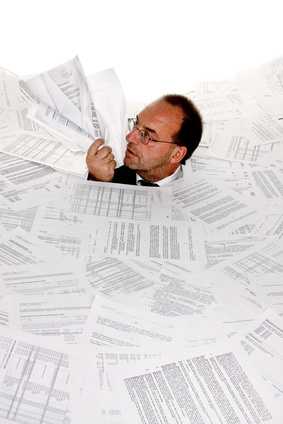
A document management system is an organisational, technology driven way of taking those filing cabinets and storing them in what can best be described as a digital filing cabinet. Business man throws paper work pages to air floorDocuments and images are stored in a repository allowing management and retrieval of the files.

Document Management software (the software behind the system) creates a secure digital file cabinet where literally thousands of documents of any type can be stored and is the equivalent of a digital safe where archived documents can be housed and accessed many years later.

Having the right document management solution can provide the necessary cohort required for scanning, document imaging, document archiving, fax archiving and electronic records management.

Does an organisation need a document management solution?

This largely depends on how much paper you have entering and leaving the building. I recently visited a customer site who had two large offices filled with archived boxes up to the ceiling. That was the half of it the rest had been off-sited to a bigger and secure location. If ever there was a need for a standalone document management software solution it was staring right at me. As for the security implication…!

Information is key and your business depends on it. Can your employees locate the information they need quickly and easily? The majority of companies store information in a variety of different places such as DVD’s, CD’s, Zip drives, on networks, individual PC’s and the mainstay of most office buildings the filing cabinet. The answer to the question for many businesses is that “yes” they need one.

Why… because

  • It reduces the costs of antiquated paper based storage
  • It improves customer services by giving advisors access to up to the minute and legacy information
  • Reduces the risk of regulatory non-compliance problems
  • Provides a disaster recovery plan for all company documents
  • Significantly reduces staff time trying to locate documents
  • Provides critical document security and accessibility

How does it work?

Document management software helps your organisation expand without having to increase administrative staff and enables documents to be better maintained as records to meet compliance objectives. There are a number of ways to capture documents into the archive:

  • scan the document from any document scanner
  • drag and drop files from windows explorer
  • check documents in from MS Word, Excel, PowerPoint
  • Add the entire contents of a network folder
  • Retrieval time reduced
  • Save thousands £ a year by eliminating off site records storage
  • Reduce paper supply costs by thousands £
  • Free up office space

Document management software captures, indexes and manages scanned paper documents, faxes, emails, PDF’s, computer reports and anything else in its final form.

Once archived, documents are easily retrieved by  the use of search tags and indexing criteria which have already been set up allowing anyone within the company to access a file or information within seconds and without leaving their PC.

Security measures can be strictly imposed for authorised users ensuring that access is restricted.

What are the benefits?

Companies are better organised by making files easier to access, file, share, retrieve and secure information. Employees are productive because they save time searching for business critical information.

Having a digital filing cabinet affords greater functionality than paper files because multiple people working from home, different offices and even on different continents can access and work on files simultaneously.

So, imagine the football pitch scenario…. if this is your company then call us for more information on how we can help you set up a secure document management system that will work for you. 

Implementing a document management system will save you time and money!

What do you think? Are you drowning in paper? Have you given any thought to the time it takes to find what you’re looking for? Leave a comment we are always interested to hear your views.

For regular news and updates please do follow us on twitter, like us on facebook and connect with us on linkedin. By subscribing to our updates hit the orange RSS button at the top of the page they will be delivered automatically into your inbox.

If you like this blog and think it will be useful to others please share it and leave a comment to!

Alchemy will grow with your business – imaging, capturing, indexing, archival and retrieval, document management, records management, integration and distribution functions all available when you need it. Running either on a server or as a stand-alone configuration, it can also be deployed over the web for remote user or self-service.

Alchemy supports many scanning and capture systems as it is built on Microsoft technology and provides out of the box integration for Microsoft Office, Microsoft Exchange, Microsoft SQL Server and Microsoft SharePoint. Irrespective of the document type, Alchemy provides a centralised digital archive where documents from multiple systems can be consolidated and then be delivered using multiple delivery channels.


Accounts Receivable Automation – How to automate your payment allocations.

Accounts Receivable Automation.

How to automate your accounts receivable.

A fully automated accounts receivable solution for accurately allocating customer payments quickly and efficiently to the relevant customer accounts will save time and reduce manual intervention.

Automating your cash allocation to your customer accounts minimises manual intervention and saves time.

How is this achieved?

Capture

Most capture tools operate on a template basis which require structure and will not work with thousands of differently laid out remittances. By employing an intelligent capture tool which can extract the data automatically, learning and storing as it goes this in turn automates the collection of data and updates the accounts system seamlessly without the need for any manual intervention.

Managing the Accounts Receivable process enables quick allocation of incoming payments.

Manage

Holds all documents enabling quick retrieval for processing and audit which in turn negates the need for paper storage whilst fulfilling compliance requirements.

Allocate

Allocate incoming payments quickly right down to invoice level. The system remembers this information so that subsequent payments can be matched instantly. This can lead to an 80% reduction in manual allocation.

What are the benefits of automating your Accounts Receivable function?

  • Real time view of sales ledger values
  • Clean sales ledger with no unallocated balances
  • Accurate management information and clear cash flow forecasting
  • Efficient credit control as no time is wasted chasing up invoices that have already been paid.
  • Efficient credit management with accurate debtor days information available at all times
  • Reconciliation is done on a day to day basis resulting in quicker and smoother month end process.
  • All banking and remittance documents are electronically stored simplifying the audit process and reducing the amount of storage needed for archiving old invoices and remittances.

Next steps

Digital Print Management are a channel partner for ProcessFlows; world leaders in the capture, process, manage and delivery of documents, voice and data solutions.

For an overview of our Accounts Receivable and Accounts Payable solutions and how our solutions can help your company, please call us on 01234-271156 or email us your details below and one of our expert advisors will be in touch.

[gravityform id=”4″ name=”Arrange a call back!”]

Why outsourcing your sales order processing can give you a competitive advantage.!

There are tangible benefits in outsourcing the sales order process.

I’ve paraded the tangible benefits of outsourcing here.

Sales order processing is right up there in the scheme of things when it comes to important business critical processes.

After all, if your sales team are working hard to get new business and sales orders it stands the importance of having an effective order processing system is essential.

Completing and fulfilling customer orders in a timely and efficient manner not only builds a relationship with a new customer and provides security and assurance that you are handling your customers orders with expediency but it also strengthens existing business relationships.

Whether your business is B2B (business to business) or B2C (business to consumer) transactions the processing and delivery of sales orders gives the organisation a competitive advantage.

There is nothing worse than gaining a new client and securing a new sales order only for the internal sale order process to breakdown causing embarrassment and frustration for the sales person who has worked hard to  deliver the order.

The speed in which a company fulfils the order gives any company whatever size a distinct competitive advantage.

Irrespective of whether your company is selling a service or product it is imperative that your customers requests are processed quickly.

This can prove challenging particularly when the volume of orders is difficult to process if you have limited resources as a company and can lead to unnecessary managerial duress being placed on staff, the end result may well be dissatisfied customers due to delays.


With the ever increasing presence of internet businesses, customers have a huge number of potential suppliers to pick and choose from with the potential to offer similar deals and discounts. Therefore the importance of the sales order process cycle cannot be underestimated.

Companies that offer superior customer service, faster order processing and timely delivery will increase their customer base.

One of the main advantages of having an online business is that it continues to function night and day.

With the internet being truly global and in a very competitive business environment, customers have the option to place orders in any time zone and at any time of the day or night.

Providing overnight staff to process orders can be costly but is necessary if you have an internet based business and wish to remain competitive.

Opting for outsourcing this fundamental business process may just be the right cost effective solution.

Outsourcing any manual intensive business process provides companies with added advantages by freeing human resources which would otherwise be engaged in non core activities.

By outsourcing the sales order process gives organisations the opportunity to reorganise and reallocate resources to more efficient and productive channels for growth and expansion.

What are the benefits of outsourcing the sales order process?

  • Extended hours of operation at lower cost by outsourcing an overnight team of staff to process clients enquiries and orders.
  • Expansion of the team and minimal day to day managerial responsibilities ideal for the business start-up that would like to expand their team but have a restricted budget.
  • Organisations won’t have to deal with any HR processes as the outsourcing company handles these.
  • Businesses can divest themselves of having to invest in additional technology, personnel and infrastructure.

The key to success for any organisation is having a long term vision and outsourcing can provide a key component in the success of this vision.

Outsourcing the sales order process can give long term benefits allowing companies to grow and strengthen current business relationships and develop new customers by providing an efficient and timely service with tangible benefits that can be measured against the delivery expectations of the customer in the sales order process.

Your competitive advantage is based on how quickly you can process your customers order!

Next Steps

For more information about how to outsource a specific business process please call us for an informal discussion or fill in the form below and one of our expert advisors will be in touch.

[gravityform id=”1″ name=”Contact Form”]

For regular news and reviews please follow us on twitter, like us on facebook and connect with us on linkedin.

Managed Print Services – How to control your print costs

Managed Print Services – reduce print costs, remove unwanted printing and enforce print rules such as colour or simplex/duplex printing.

Most organisations these days have people working remotely from the office and constantly on the move.

The one thing they have in common is the ability to print documents at anytime and anywhere.

How do you keep print sensitive information safe from prying eyes? 

Using a secure document release application makes it easy to keep confidential information viewable for the user only. Accounting and reporting features for document output activity helps organisations comply with privacy requirements.

How do you prevent wasted paper?

How do you keep printer consumable costs down?

What happens when documents are left unclaimed?

What about the loss of productivity in time waiting for documents to be printed at the most convenient printer, not always the nearest one?

Do you call I.T. to ask for more print drivers to be installed or a request to purchase new printers?

Networked printers are not always located for easy access by workers who spend increasing amounts of time away from their desks and documents left unattended can divulge company information such as plans that have yet to be announced or organisational re-structuring. Jams, malfunctions and queues make printers unavailable when people need them. Server based printing with document authentication increases mobility, security and reduces cost for the company.

Not having to rely on a single printer, users can output documents when and where they are needed and avoid the inconvenience of printers out of service or busy. Managing any number of personal printers in an organisation is costly and employees often insist on having their own printers because of wanting their own privacy. By managing your print devices properly ensures security is prevalent at every shared device.

Implementing a managed print services solution ensures that only those documents that are required to be printed use the most appropriate printer for the job i.e. colour printer or to print simplex/duplex. Using a secure document release application encourages user mobility and helps to minimise waste and protect personal information or customer confidentiality.

Print management solutions and ‘Follow-You’ Printing® holds documents in a secure print server until users authenticate themselves at the networked printer of their choice anywhere on the print network, across servers, departments and even geographic locations.

What are the benefits of managed print services?

  • Security is increased by only releasing documents when users are physically at the printer
  • Mobility is enhanced by allowing users to release documents at any convenient printer, anywhere in the organisation
  • Reduces waste by eliminating unclaimed print items and encourages users to print only the documents they actually need
  • Simple authentication implemented using card based ID systems
  • Integrates into multi-vendor environments

Users swipe their ID card enter a PIN or both to authenticate themselves and release their print jobs.

Simplifying and centralising print management using Follow-You Printing works with any printer manufacturer and is available as as both device and terminal based software. Providing one convenient administrative interface for managing your entire fleet of MFD’s (multi-functional devices)
Education – end wasteful and unclaimed printing only allowing print jobs to be output when users are ready to authenticate them at the printer. One University reduced their printing by 41% in one term using Follow-You Printing integrating it with existing campus card systems and on line accounts, students, faculty and staff were able to use the same machines.
Legal – Protect work and client confidentiality by preventing documents from sitting in output trays at unattended printers. Follow-You Printing safeguards clients trust and compliance with corporate accountability and privacy laws.
Office – Give employees the convenience of swiping their I.D. cards to release their documents and the flexibility to bypass printers that are busy or out of service. Follow-You printing operates geographically and users can output queued documents at network printers in your company’s branch offices to avoid the risk of losing or exposing them while travelling.

As an authorised channel partner of ProcessFlows, Digital Print Management provide intelligent print and cost management software solutions for the corporate, legal, education, health care and financial services. Designed to create more effective printing environments, reduce printing costs, increase security and lessen environmental impact.

For more information and a discussion on how we can show up to a 30% saving on your overall print costs by using our Print Management Solutions fill the form in below and one of our advisors will call you:

[gravityform id=”1″ name=”Arrange a call back!”]

 For news, views and updates please don’t forget to follow us on twitter, like us on facebook and connect with us on linkein.