All posts by Caroline

Caroline is a Director at Digital Print Management, a leading print management company specialising in providing print and mailing solutions. Having spent 25 years in the transpromo industry she is one of the UK's leading expert's in print and mail solutions.

Managed Print Services. Paper Chasing! How paper has changed in our hi-tech world!

I’ve been working in the print industry in some shape or form for over 20 years and witnessed the migration from electronic typewriters to PC’s.

Emailing has become the staple method of communication, CRM systems allow us to manage our communications and how we interface with customers, the rise of social media another way of promoting yourself and your company’s brand.

These technological developments have impacted our working lives radically changing the way we work, how we interact with customers and as a result the way we use and interact with paper has also changed.

Or has it?

The lifecycle of a document use to be very simple.

A document would be created as a form or letter, it would be saved, printed and posted.

The letter would then be stored in a drawer or in an appropriately labelled file dependent on how often it would be accessed or, filed into obscurity until such times when you had a spare few minutes to go through your filing cabinets or drawers.

When information from the document was needed we’d hunt around for it, not always an easy task to remember where you filed it and which drawer you relegated that letter.

Once retrieved from storage it was copied if needed but this bit of paper involved a human interaction.

Finally, when the document was finished with, it was filed and returned to storage. A process repeated many times up and down organisations in the UK.

The problem with this filing method is it is very slow, prone to errors resulting in many documents being misappropriated or misfiled.

In the last ten years electronic document management has exponentially changed our working life’s. It has changed the way we interact and use paper. No longer perceived as a long term medium, human interaction with paper has changed from being a permanent record to a transient or short term interaction.

Paper storage hasn’t completely been relegated to the annals of history. It is still required in regulated industries and government but this is fast changing too as many of the permanent records of information are now being stored electronically!

You’d expect that with such a major shift to electronic document management paper work flows would be drastically reduced.

Statistics indicate paper usage is on the decline. The evolution of paper from a permanent record to a short-term bit of information has only changed how paper is used – not how much!

The shift has swung to documents being printed far more times from its electronic master when compared to antiquated filing systems.

Why is this happening?

Because there is still a preference for human beings to interact with paper or to interact with the information that is on the paper.

Think about how we use paper daily. We print the document, use it and then toss it in the bin when finished and then the next time you need it, you guessed it, you print it again repeating the process.

I don’t believe anyone can wholeheartedly put their hand up in the air and say they’ve never done it, we all do it daily unconsciously almost. It is a repeatable process.

The evolution of smartphones, tablets and the need to reference information sometimes makes it easier to work with paper!

Let me quickly illustrate, I’m writing this blog and am working from material and articles that I’ve researched and annotated. If I have two screens easy but its actually quite difficult to switch between what I am writing and what I am reading. Yes, I know I can minimise but its still not that easy.

Even with advent of great mobile apps like Goodreader, webnotes all of which are useful note annotators, it is just not the same as working from the printed article!

Where you can scribble, hi-light and make notes using a pen!

Which validates the statement I made above, people like interacting with the information on paper. The only difference is the way in which we interact with paper, it is very different than we did say twenty years ago!

With most business processes still reliant on paper output for records, transactions, reference or simply for better readability the best solution is to print smarter with print management and apply print policies to ensure that when a document is printed it is printed securely and on the most cost effective device.

Employing managed print services (MPS) will track print usage enable, duplex printing rather than simplex printing when needed, print mono rather than colour, encourage users to be made aware of what they are printing and why they are printing it, how many times they’ve printed the same document and how much its costing the organisation.

MPS will also give users the relevant tools to ensure they make the right printing decisions such as pop up alerts that recommend a different printer for the job they are printing.

Paper as a permanent record held in storage is declining, paper as a substrate isn’t going anywhere.

The use of paper can be better managed with achievable cost, security and improved workflow results.

What do you think?

Do you have a paperless office? If so how have you achieved it?
Is your office under siege with paper?
Would you like to implement a reduced print policy?
What about employees? Do you have a no print policy but find it difficult for staff to employ your no print policy?
Share your thoughts please or post a comment.
We’d love to hear what you think!

If you would like more information click here
You can find us on twitter, Pinterest and facebook or you can connect with us on linkedin and Google+.

How RTI will impact your business in 2013! RTI – Are YOU Ready?

We’ve recently been discussing RTI with our Payroll Manager customers and what impact they believe it’s going ot have on their business.

Comments range from “really unsure how the HMRC are going to be ready to take in such a potential mass of data each month or week”; “what about data integrity?” to “We don’t know how its going to impact our business”; and what additional administrative tasks will be required?”

What is RTI?

Real Time Information is a new system that is being introduced by the HMRC to fundamentally improve the operation of PAYE (Pay as You Earn) Currently PAYE return process is a manual procedure that happens annually; it is prone to error and inaccuracies – employers only find out at year end if they have deducted the correct amount of tax during the year.

RTI will result in this information being collected regularly when employers submit their payroll submissions.

Why is it changing?

The current PAYE system has been in place since it was introduced in 1944 making it 68 years old; operating unchanged and is the method used by employers to pay income tax and national insurance contributions (NIC).

Employers deduct payments from employees’ pay each week or month and for a large part; the current system works for the majority of employers and employees.

However, it has become prone to error, fraud and inefficiencies making it difficult for the HMRC to identify errors and assist employers and employees’ to resolve problems in a timely manner.


The RTI system will require employers to send data about PAYE, NIC and student loans every time they pay their employees rather than with their end of year tax return.

Why introduce RTI?

Simple. RTI should enable HMRC to respond to errors, improve the accuracy of payroll and reduce the probability of fraud.

Benefits of RTI

The government wants transparency of financial status and RTI will consolidate and automate tax reconciliations for individuals. It should reduce administrative costs of PAYE by phasing out annual employer returns and removing the need to submit P45 or P46 forms.

RTI will prevent identity fraud, reduce errors and overpayments in the current benefits and tax credits system which will ensure that individuals are taxed correctly through PAYE.

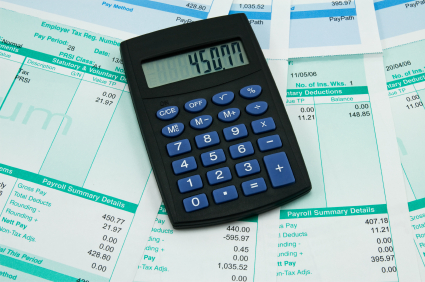
payroll print out

Concerns of RTI!

Small businesses will struggle to implement real time reporting the Public Accounts Committee has warned the HMRC; who must or will have to find a way of supporting businesses that do not  have electronic payroll systems in place.

Approximately 94% of employees receive earnings electronically but small businesses without electronic payroll systems and self-employed don’t submit monthly data to HMRC. How the HMRC intends to manage these employees is yet to be worked out.

How will it affect you?

Instead of submitting information once a year at Payroll Year End, employers will submit information electronically to HMRC for PAYE, NIC and student loans every time employees are paid.

When will it come into effect?

RTI will be phased in from April 2013 and will be mandatory for all employees from October 2013.

The system is being piloted from April 2012 and the current timetable published by the HMRC is as follows:-

  1. March 2011 – technical specification to be issued
  2. Oct 2011 – test system available to solution providers
  3. April 2012 – pilot customers submitting RTI (complete by Oct 2012)
  4. April 2012 – Large employers (25o+) to start RTI
  5. April 2012 – Medium employers (50 to 249) to start RTI
  6. Aug 2013 – small employers (<49) to start RTI
  7. Oct 2013 – all employers submitting RTI

What do I need to do?

To get your software right you will need to ensure your payroll provider is compliant so you can submit additional RTI information required along with Bacs payments.

Small companies will have access to the HMRC’s basic PAYE tools which will work with RTI free of charge.

Ensure your data payroll is right ensuring that the payroll details for your employees are fully up to date and in the right format for RTI:-

Name must be your full name and official forename(s) surname; no initials and in the correct order. Date of birth must be given in the format “DD/MM/YY”. National Insurance Number (NINO) must be given as two letters, followed by six digits and end with a letter which will be either A,B,C or D.

With every business in the UK expected to commence migration to RTI between April 2012 and October 2013 it makes sense to prepare your business. Taking control and adopting RTI early will enable you to understand what the impact is likely to be on your business and its payroll practices, ensuring that you continue to pay your employees and HMRC on time.

What do you think of RTI? How do you think its going to affect you? Who will pay for RTI?

Is RTI the Government’s way of getting much needed revenue into the treasury quicker than the current PAYE?

Drop by and leave a comment in the comment box below; we love to hear your opinion!

If all this all sounds like too much hard work or worrisome then contact Digital Print Management for independent and impartial advice on how to outsource your payroll.

Follow us on twitter, like us on facebook and join us on linkedin and google+ or subscribe to receive our updates straight into your inbox!


How to benefit from print and mailing services

Postage charges increased last April 2012 with a 1st class stamp costing 60p and a second class stamp 50p. In spite of these increases, many businesses mail out a constant stream of marketing letters, invoices, direct mail and obligatory customer letters and printing mailing services have never seemed more expensive.

How to benefit from print and mailing services

If your company or organisation cannot reclaim VAT, your postage costs can only go one way and that is UP.

Businesses that rely on bulk mailings and use the royal mail’s bulk mailing services such as mailsort, presstream, walksort, cleanmail, packetpost, advertising mail, sustainable mail and standard tariff will have experienced rising mailing costs.

Irrespective of escalating postage and mailing costs there are a number of measures that an organisation can undertake to ensure the cost of print and mailing is kept at a reasonable cost level.

How?

By optimising all or some of the following.

Multi-channel distribution 

Multi-channel distribution of business documents – your data file is broken down into those letters that are required to be printed and mailed, electronically sent or documents that need to be printed and then returned to a head office or delivered to regional offices all from one data file. Providing you with a complete printing and mailing service.

How can this work for my business? How to benefit from print and mailing services

Working with a mailing solutions partner who will advise you what the alternatives are and provide guidance on the best method to ensure your mailing is a success.

Whether it is getting those invoices out to your customers on time or a direct mail piece, a print and mailing solutions provider will take your data file containing names and addresses, extract the letters that are required to be printed and mailed, electronically send documents to those recipients and return those documents that are required to be internally distributed back to head office and regional locations.

To find out how to choose the right mailing solutions provider click here

How to benefit from print and mailing services

DSA 

DSA is the term used to describe mail which has been collected and distributed by a competitor of the Royal Mail but is delivered into the Royal Mail centres for final processing onto local offices. The cost savings per envelope depending on weight can be substantial saving companies as much as 0.24p per envelope.

Electronic

Not quite as straightforward to get your customers to accept the fact that you will be communicating with them solely via email and not every one of your customers will want to receive an electronic bill, statement or letter for all sorts of different reasons but as long as you follow the process I’ve outlined here you can see your postage costs reduce substantially.

Beware, your customer’s perception may be a negative one.

If you are wanting to drive your mailing costs down by moving to an electronic system of sending out your documents you need to be aware that some customers will view that you have effectively passed the costs of processing and in many cases, printing to your customer.

If they don’t have an effective accounts payable/invoice processing system then there is the manual processing of your document at the customers end resulting in additional work.

Aside from the print and mailing solutions there are also known desktop mailing solutions.

How does this work?

Easy really if you click here there’s more information on how the system can help you reduce your mailing costs or click here to find out how mailing on a budget can make a difference to your organisation.

Finally…

Avoid the use of C4 envelopes

Avoid having to use 1st class Royal Mail

Maximise your discounts by using downstream access mailing

Use a hybrid mail solution like the one described above.

For more information on hybrid mailing solutions click here

Find us on Twitter, Facebook, Pinterest and connect with us on Linkedin 

Hybrid mail solutions. How to mail out your letters on a budget!

From PC to Post – Print and Mailing Solutions made easier.

With the privatisation of the Royal Mail in October and the volume of letters delivered over the past five years in decline by 25% and expected to keep going down between 7-8% year on year postal services are on the decline.

The use of electronic methods of communication are on the increase and letter volumes are spiralling downward.

By 2015 it is estimated that the Royal Mail will have lost 40% of its business. (Hooper Report)

Postal trays are empty and the bulk of mail is carried by email servers.

What does the future hold for companies that still have a need to post out obligatory letters and forms or a few letters they might want to send out each week or month?

Although paper usage is declining paper isn’t going anywhere.

Whilst I have one foot firmly in the paper and the other in the paperless/electronic camp the fact is paper remains a recyclable, renewable and reusable substrate.

Recognised as the 7th largest industry in the UK, print provides a positive and meaningful purpose and retains a notable place in our business and domestic lives.

If you want to be able to continue to mail out customer letters there has to be a more cost effective viable mailing alternative!

Hybrid mail solutions

Are a unique online mail management solution for all your letter printing and mailing requirements.

How does it work?

When you generate a letter in-house you need five things, a PC, a printer, an envelope, paper and a way of posting out your letters i.e. a stamp or by franking the envelope.

Hybrid mail takes away the hassle of the above as the only two elements needed are a PC and internet access.

The envelope, paper, printing equipment and the distribution are managed at a secure remote location and the process is completed for less than the cost of a second class stamp depending on whether you are printing in colour or single/double sided print.

It’s like having your own print and mailing services company a click away and it can manage any letter an organisation sends out from an insurance renewal policy, customer marketing letters, post cards in fact any customer interfacing document you regularly send out to your customers.

Hybrid mail will save time, reduce postal costs and minimise your carbon footprint.

How does the mailing solution work?

Hybrid mail services allows you to enter your mailing requirements via a website.

It is an online interface enabling you to upload letter files using pre-determined templates. You can upload your document in word format (.doc, .pdf, .rtf) personalise it by adding logos and key marketing messages, change the layout, proof each step of the way and then the rest is done by the hybrid mail provider.

By taking word documents or PDF’s a mail merge is performed using your uploaded data and letter they are then printed and posted for less than the cost of a stamp.

With no contract or minimum order restrictions this makes the perfect mailing solution for small to large companies.

Hybrid mail offers a great way to reduce your in-house print and mailing costs because right from the press of a button you will know exactly what the mailing will cost. There are no extra costs and no hidden extras.

Is it eco-friendly?

Yes. Using large volume printers which are more efficient and using paper bought from sustainable sources means save money because it reduces paper, printer and toner cartridge usage.

Businesses can expect to make impressive savings with no upfront costs required.

A PC or laptop, a file of names and addresses and the letter or letters you wish to send are all that is required to be up and running!

It couldn’t be simpler!

Our print-2-mail service is easy to use and free to set up. Call us for a demonstration

You can follow us on Twitter, Facebook and Pinterest. Connect with us on Linkedin and Google+ for all our news, features and updates!


E-Billing. A 10 point checklist to help you implement e-billing in your organisation!

This is the third article in our series that discusses how to reduce the paper flow through your office and speed up the Accounts Payable and Accounts Receivable function!

With escalating postage and mailing costs any company that sends out bulk mail such as customer letters, invoices and statements requires the flexibility to adopt a combination of either electronic and paper or solely electronic mailings.

How do you implement e-billing?

Firstly it helps to understand what the definition of e-billing is.

e-billing, e-invoicing. Which is it?

e-billing, e-invoicing. Which is it?

E-billing is often referred  to as e-invoicing and customers often say “we are sending out invoices” so what is the difference?

The use of the two terms depends on your perspective as a buyer or a seller.

If you are buying in services managing incoming invoices within the accounts payable department the electronic invoicing process is part of the order to pay process and is e-invoicing.

E-invoicing is a buyer centric model where the buyer actively encourages its suppliers to send them electronic invoices.

If you are selling services and you are sending bills out to your customers via the accounts receivable department the electronic invoicing process is part of the order to cash process and is called e-billing.

E-billing is a supplier centric model where the supplier encourages its customers to receive electronic invoices instead of paper based ones and is less complex to implement than e-invoicing.

In both cases, invoices are processed but the difference is that those invoices that are inbound are referred to as e-invoices and those invoices that are outbound are e-bills. In each case invoices are processed but whether you are a seller or buyer determines whether the process is B2B e-invoicing or B2B e-billing.

Many companies and organisations alike will operate a combination of both the above processes but the functions may not be electronic or automated and likely to be manually intensive.

How do I get my customers to accept e-billing?

How do you adopt paperless billing?

How do you adopt paperless billing?

One of the first challenges presented by the customer is: ” it just won’t work our customers like paper too much!” to which my response “have you asked them?

If you want to achieve significant customer adoption then you don’t ask you have a strategic, planned, well thought out campaign to turn off paper and get your customers accepting e-bills.

For more information call us now

Here are 10 top tips to achieving ebilling uptake!

  1. Have a clearly defined idea and strategy as to how you intend to implement e-billing
  2. Do not think that by having a customer portal on your website where customers login and download their bill will drive your customers in droves to click and register so they can collect their bill. It wont work! Its a bit like asking your customers to drive to your reception and collect their invoices. In reality, they’ll do nothing because a customer portal requires registration, password and a download
  3. Think PDF, not a PDF attachment to an email but a PDF that is emailed to your customer, think engaging, personalised and interactive information that incorporates facts, figures andpersonalised marketing messages, are secure and has embedded data which can be extracted out of the PDF
  4. Have a clear strategy for collecting email addresses
  5. Use your website to drive paperless billing and to advise customers how easy it will be for them to switch off paper
  6. Use messages on all your printed invoices, statements, remittances and envelopes to turn off paper
  7. Have a sign up process on your website, on your paper invoices and statements
  8. Use an email pre-registration campaign for opt in and opt out to encourage the take up of paperless bills
  9. Use any marketing collateral sent out to advise customers you are moving to paperless billing to drive the message home
  10. Use the process to demonstrate your company’s on-going commitment to being green
When all is said and done you can’t hold a gun to your customers head and make them adopt e-bills there will always be customers that, for whatever reason want/need a paper bill or, who simply don’t want to change.
You can educate them as to how the process can streamline the billing process to ensure they see also reap the benefits of going paperless.
If you want to reduce the paper flow call us for an independent and impartial chat.
Have you adopted a paperless strategy?

How successful was it?

Can e-billing work for the SME or is it the sole preserve of the bigger corporations and Utility companies?

You can find Digital Print Management on twitter, facebook, pinterest and linkedin or connect with us at google+


How to automate your AR Process?

This article is the second in a series that talks about the benefits of automating your accounts receivable process.

In my last article I discussed the Accounts Payable process. You can read more about that from invoice management to the merits of automating the process.

I like to start with the END in mind which I guess is where Accounts Receivable fits into the accounting function because it is the process whereby a company allocates received payments to the relevant customer accounts hopefully with minimal manual interaction in effect it is the management of the Sales Ledger. It is also one of the more cumbersome accounting tasks that is often very manual intensive prone to errors resulting in the slow down of customer invoices being paid on time.

It is a key component to the effective running of any organisation or company ensuring that bills are paid on time. Traditional methods can be labour intensive, slow and prone to error.

Accounts Receivable Automation.

How does automating the Accounts Receivable process work?

Capture

By caputuring information using an intelligent capture tool which can extract data automatically learning and storing information as it goes.

Managing the information

By managing the information in your system enabling faster retrieval for processing and eliminating the need for paper storage at the same time ensuring compliance.

Cash Allocation

Incoming payments can be allocated swiftly right down to the invoice level this information is remembered by the system so that subsequent payments can be matched.

What are the benefits of automating your accounts receivable process?

  1. Real time view of your sales ledger
  2. Clean sales ledger with no unallocated balances
  3. Accurate management information and easier cash flow forecasting
  4. Efficient credit management with accurate debtor days information available at all times
  5. Increased credit control efficiency – no wasted time chasing invoices already paid
  6. Reconciliation is done on a day to day basis making the month end process efficient
  7. All banking and remittance documents are stored electronically making the audit process less arduous and reducing the amount of storage required
Finally automating the accounts receivable function will ultimately improve cash flow and reduce DSO, reduce printing, postage and paper storage handling costs enabling the company to adopt a Paperless electronic billing strategy!

Are you struggling to manage your accounts processes?

Are you deluged with paper?

Do you want to get your invoices out faster?

Get in touch for more information 

Invoice Processing. 5 Great Ways to Reduce Your Paper-Flow

How to cut the cost of your invoice processing?

Many organisations are challenged by wanting to break free from invoice processing which can be a slow and costly paper based system.

Accounts Payable departments are constantly being challenged to cut operating costs whilst ensuring invoices are paid promptly. Manual AP processes are costing companies on average £2-£4 per invoice that’s a staggering on-going cost for a company who may be thinking they are managing the invoice paper flow!

A typical manual process includes:-

  • Invoices come into the company from different suppliers or cost centres in different layouts and delivery formats – post, fax, email, EDI
  • They are forwarded to the relevant person responsible for that invoice
  • There is a longer lead time due to manual routing, processing and sign off procedures
  • Inefficiencies due to time spent matching the invoice to the Purchase order, verifying, approving and signing off for payment
  • Inability to maximise discount benefits associated with early payments
  • If it exceeds the company’s limited amount it may well have to go to senior management for verification
  • If approved the invoice is then input into the accounting system ready for payment
  • Archive costs for compliance and accounts audits
Typically, there may well be invoice queries, is the vendor valid, is the invoice correct and does it match the PO or is it a duplicate invoice?

Why automate?

  1. By automating the process you gain a complete overview of the AP function using an end-to-end invoice management system of all processes and any financial implications.
  2. By capturing the invoice information using an intelligent capture tool allows extraction of invoice data whilst at the same time updating your ERP accounts system with no manual entry
  3. Consolidation and reconciliation of purchase orders, invoices and payments are automated which helps manage allocations, cashflow and payments
  4. Invoice processing automatically matches and verifies scanned invoices with PO’s
  5. The invoice process is improved because it is centralised so up to date live information is made available to the accounts team at every stage of the AP process

How does adopting an AP strategy reduce my paper flow?

It is the start toward adopting an ebilling strategy for your organisation.

Automating the processing of invoices and choosing to integrate a straight-forward workflow and document management software with your existing systems will remove manual and repetitive workloads.

Using a centralised accounts payable process integrated into your current systems provides:-

  • Automatic allocation of the right invoice to the relevant transaction
  • Automatically post invoices for payment
  • Automatically queue exceptions for handling
  • Deliver information on exceptions to the AP desktop
  • Make payment status available to everyone instantly
  • Adopt a push ebilling strategy where your customers don’t have to come to your Portal or website (Pull ebilling)

What are the major benefits?

  1. Reduce invoice processing costs
  2. Time savings
  3. Exceptions resolved quickly
  4. Supplier conflict resolution
  5. Early payment discounts
  6. Reduced supplier inquiries
  7. No double handling

Do you have a complete view of your AP process?

  • Do you wish your accounts payable function was a streamlined automated function giving you total control?
  • Do you know how many invoices you have outstanding?
  • Do you know how much money you owe?
  • Where in the system are the exceptions and and how many?
  • Who are the problematic suppliers?

Digital Print Management provide open solutions and our systems can be extended to include the automation of any business process.

If you want to discover how easy the transformation to an automated Accounts Payable system can be then get in touch.

COMING NEXT IN OUR SERIES OF ARTICLES FEATURING INVOICE PROCESSING WILL BE ACCOUNTS RECEIVABLES AND WE WILL SHOW YOU HOW TO SPEED UP THE PROCESS OF ALLOCATING YOUR PAYMENTS.

If you want to receive updates then subscribe to Digital Print Management.

You can follow us on Twitter, Facebook, Pinterest or connect with us on Linkedin and Google+.

6 great tips on why SME's should outsource!

Outsourcing

I ‘m a strong advocate of the benefits that can be enjoyed by outsourcing a component of your business whether its print, payroll, billing I.T or customer services to the outsourcing of a complete department of an organisation as long as it’s a strategic fit for the company and there is utmost transparency in the way an organisation manages the process.

Traditionally when people think of outsourcing they associate it with big corporations who have the infrastructure and the resource to benefit from a large scale re-deployment of one of their business components.

But this is not the only way that outsourcing can be used effectively. Small to medium businesses can use outsourcing to their advantage. Sections 382 and 465 of the Companies Act 2006 define an SME that has a turnover of not more than £6.5 million, a balance sheet of not more than £3.26 million and 50 employees; a medium sized company with a turnover of not more than £25.9 million, a balance sheet of £12.9 million and 250 employees.

I’ve talked about the benefits of outsourcing in the past with particular reference to payroll and billing here!

The same principles can be levied for any business component you are considering.

why its good to outsource

6 great tips on why companies should outsource

Here are 6 things to consider when outsourcing:

  1. What business aspects are you struggling with? Where can your company outsource to make cost savings and streamline the organisation processes for example it might be marketing, web design, payroll printing, invoice processing/printing. All of which are important to a company but are time consuming and manually intensive.
  2. Outsource as much as you can but not the core elements of your business after all that was the main reason the business was established unless it’s some manufacturing element that you are considering.
  3. Dont be afraid to use the same company for many different things the more services that an outsource provider does for your business in relation to outsourcing the more you are likely to see volume savings. In the same way you see in the supermarket buy two get the second for free. If you are looking to automate your accounts systems such as AR/AP or outsource your invoice processing/printing make sure the provider can manage the distribution element for example you may print, mail and electronically send your invoices so make sure that the company you choose can manage this process for you and more importantly they know what they are talking about and can demonstrate success criteria.
  4. Investigate the market place and evaluate who you think best accommodates your requirements. Don’t think short term, think medium term at least otherwise if you get it wrong it might be painful to get of and you may well end up by repeating the exercise again six months down the road.
  5. Don’t be swayed by the cheapest option or choose on price alone if you do you will shoot yourself in the foot. There isn’t such a thing as a free lunch! When you see something cheap what’s the first thing that springs to mind “what’s wrong with it?” or “that sounds cheap”! “What does everyone hope for but rarely gets? A great deal?” You get what you pay for and often a company that offers a service cheaply is trying to win your business with a view to a serious price hike three months later or they haven’t understood your requirements. In which case you will find yourself in trouble and the cheaper service could have a detrimental effect on your business. Can you afford for that to happen?
  6. Finally, know what area or business function of the business do you want to outsource? Why do you want to outsource? Be realistic about your expectations. Set a time limit to achieve your objective and most importantly work with a company that has the expertise and knowledge and can offer sound, impartial advice!
Digital Print Management are leading advisors in the outsourcing process. We are committed to ensuring our customers get the right solutions for their business which in turn results in cost and efficiency gains.

For regular updates and news you can find us on Twitter, Facebook, Pinterest and connect with us onLinkedin and Google+

How managed print services cuts the cost of office printing.

By implementing a managed print service strategy that saves time, money and is ‘green’.

I recently wrote about the differences between managing your print in-house V outsourcing/print management.

Here! Two similar sounding models yet distinctly different!

In the article, I refer to the management of print in-house often referred to as MPS (Managed Print Services)

The lines become easily blurred when talking about print management and MPS?

Many businesses don’t really understand or know the true cost of printing and often there is no method employed to manage and control print spend.

How can you take control of this seemingly mundane yet essential everyday business function?

Take Control of your print NOW!!

managed print services VS print management

Why implement an in-house print management  system?

Simple!

  1. To manage and recover costs
  2. Be able to print anywhere but with the right control mechanisms in place
  3. Reduce paper waste
  4. Increase productivity
  5. Reduce adminstrative costs
  6. Improve profitability by removing the hidden cost of printing and making it visible
Before I continue I should point out that a print management software/hardware solution employed in-house is not the same as print management and outsourcing all your finance/corporate printing.
Whilst the two sound similar and do cross paths, print management is a unique discipline that includes outsourcing anything from a business card, cheque to pens, mugs, mouse mats and all your finance/corporate print.
Managed Print Solutions are about managing the document process and print such as the printing of emails, photo-copying and document archiving in-house.
Implementation of an effective managed print program can see businesses reduce print costs by up to 30%.
Statistics can so easily be manipulated but for the purposes of this article let me provide an example of a US bank that implemented a strategic print management process and removed some 88 million print impressions, cut colour printing by just under 50% and paid for the initial investment within 8 weeks of it being set up. Impressive!

print management

How does it work?

A suite of print management software tools designed for companies, universities and commercial enterprises installed on your network that help you take back control of what you print by monitoring, measuring ongoing management of print activity.
The software is designed to gain a clear picture of what a company needs and then involves the deployment of the proper equipment to meet these needs.
It also helps employees become more aware of their printing habits and enforces print policies where necessary such as routing jobs to the most cost effective devices or by limiting the amount of colour printing.
Using print management software brings accountability and control of printed output to an enterprise, school, university, law practice, and accountancy firm.
User level reporting hi-lights awareness of print habits, costs and helps influence print behaviour to make employees think more before they hit the PRINT button.
It is a simple one step solution which keeps track of output from all connected printers and copiers by providing:-

Take control of your printed output!

  • Accurate – information for all print and copy costs
  • Secure – only releasing documents for output after users authenticate at the device
  • Mobile –  allowing users to send files to print from one location then pick them up across the building or campus
  • Green –  as it can discourage waste and enforces rules for  output
  • Reduce –  print/copy costs and waste around the organisation
  • Redirect –  large jobs +50 pages to a high volume multifunctional product (MFP)
  • Eliminate –  unnecessary printing by allowing users to delete jobs sent in error
  • Auto delete –  jobs in the print queue so they aren’t printed
  • Duplex printing – colour prints
  • Works with existing printers MFP’s and copiers
  • Adapts to any size

How do you regain control of your print spend and reduce print and paper costs?

managed print services

Easy. Click here and one of our advisors will call you.

You will find us on Twitter, facebook, linkedin, google+ and pinterest. Our updates are posted in your favourite social media platform for reading


p60 Printing and how to manage it.

p60 printing solutions.

P60 printing time is looming fast for all Pay Roll Departments.

But fear not because help is at hand!

P60s  and p60 printing doesn’t have to be a cumbersome task that has to be managed internally.

Outsourcing this onerous task can free up the Pay Team department’s valuable time. 

How?

Simply outsourcing the process to an experienced outsource provider!

By taking your p60 datafile we remove the pressure to generate and distribute p60’s ahead of the annual deadline.

Once printed, we collate the p60s using our verification mailcare system ensuring that individual forms are checked and inserted accurately prior to despatch.

Outsourcing P60s; P45s; P11d’s can all be outsourced whilst you continue to manage and maintain the payroll printing internally.

Managing the processing and printing of P60s takes the responsibility away from you and places it firmly and squarely on the shoulders of the company fulfilling your P60s.

How does the process work then?

From the outset, we discuss with you your requirements, the layout and specific timescales and agree a time and date for you to send us a datafile.

In the first instance we receive a test file from you for us to evaluate. Upon agreed specification; proofs are created for you to sign off and approve. When you are ready and on the prescribed day, you forward a P60 datafile; which is proofed, signed off by you the customer and then the P60s are printed and despatched following our pre-agreed timescales.

I’ve never done this before, who will help me and what about security?

No need to be concerned! Our expert specialists will guide and keep you informed every step of the way. All data files are managed in a secure ISO27001 accredited facility with C&CCC (Cheque & Credit CCClearing Company) compliance.

Using a secure method of transmission (SFTP) a full audit trail is generated for each file and all the relevant and important steps are put in place to ensure compliance and data integrity.

I have data from different systems, how will you manage it?

We regularly receive data files from different I.T. systems or software even data files sent from multiple locations. As long as we are aware of this at the start of the project this can be integrated into the implementation process and managed appropriately.

How will you get the P60’s out to our employees?

You tell us what you want. We can either post them out or have the documents boxed and securely returned to a Head Office address. Or, we can post out and optimise the best postage discounts available; post to multi-branch locations for internal distribution.

But we process our payslips using pressure seal?

Again no problem you can have either format. If your employees are use to receiving pressure seal type payslips then we can send the same format for your P60s. Alternatively, if you prefer your P60s to be A4 and then inserted into envelopes we can manage that as well.

How do I know I can rely on Digital Print Management’s expertise?

Quite frankly you don’t and we can quite understand that you might be taking a big step into the unknown.

We understand the concerns and issues associated with outsourcing any project that is why we specialise solely in OUTSOURCING.

We are committed to ensuring that our customers get the right solutions you might say that it is a passion of ours making sure the customer gets what they want!

To make it easier we’ve written a few articles for you to browse which should help make selecting the right print partner easier!

There’s a selection on our blog, but we think these two will help! Why Outsource?  Top Tips to Consider before you Outsource?

For your p60 printing needs please contact Digital Print Management. Or call us for a free impartial discussion.

We focus on payroll, payslip printing and distribution so you can focus on business!

For regular news and updates follow us on Twitter, Like us on facebook, connect with us on linkedin and google+ or feel free to sign up for regular updates via RSS or email.